
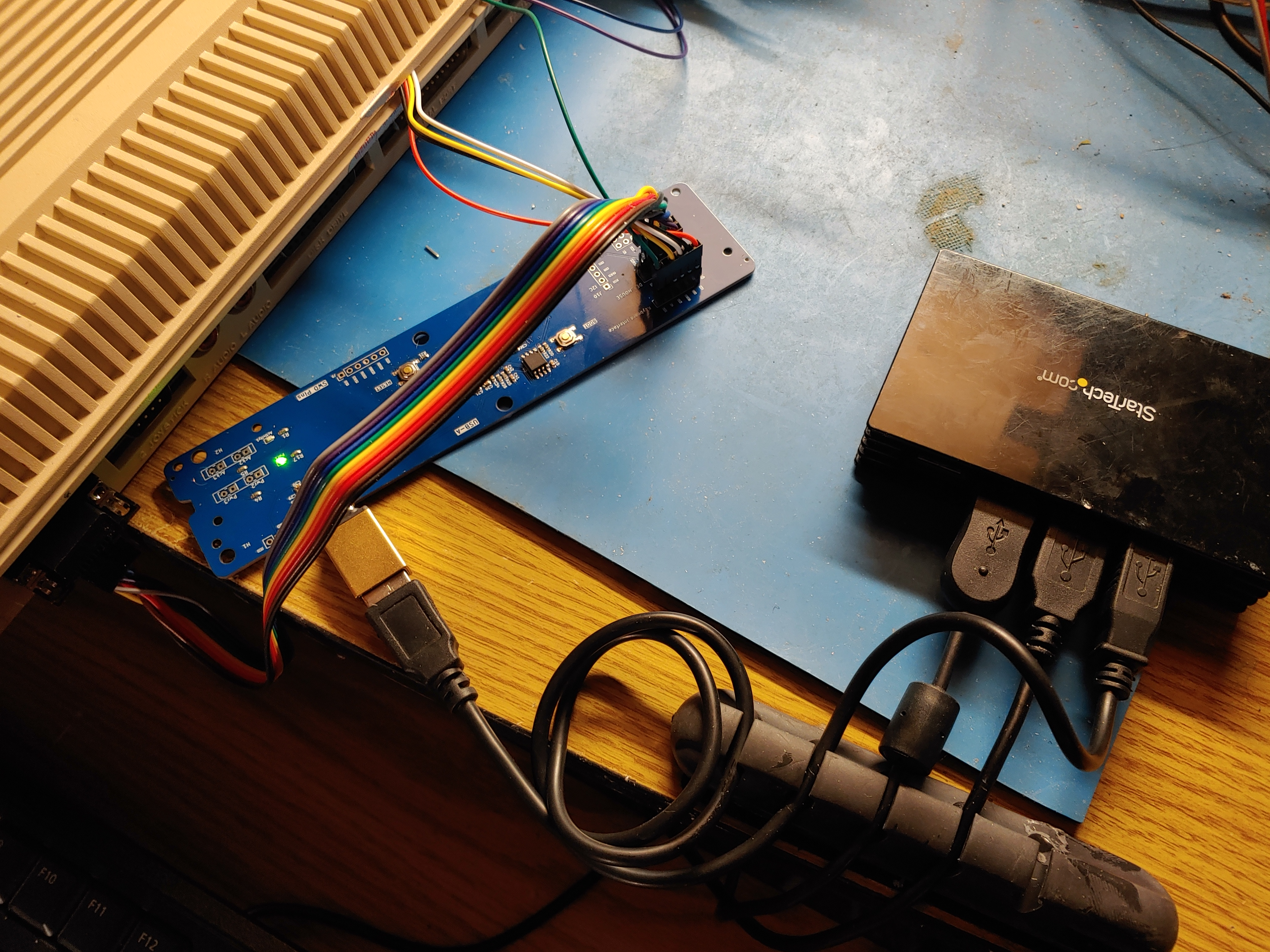

USB HID to Amiga Adapter
- USB input that supports hubs, mice, and keyboards.
- Pin Header connectors for connecting to 4 or 5-pin Amiga keyboard and DB-9 Amiga mouse
- Supports standard USB HID mouse and Keyboard at the same time
- Easy firmware update via USB
You may need a USB-C to USB-A adapter, by default you can connect a single device (USB HID keyboard or mouse).
To connect both a keyboard and mouse at the same time, you will need a hub. Note that not all hubs are supported. Most powered hubs work, but usually you don't need to connect the extra power source for one keyboard and one mouse.
If there is any failures in mouse or keyboard content try clicking Reset or updating the firmware.
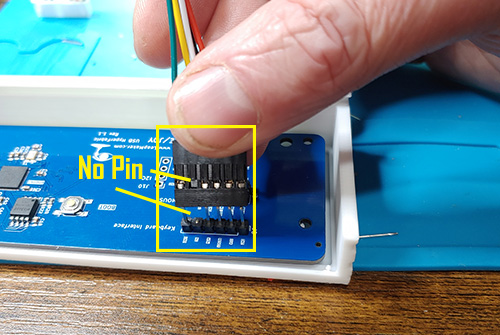
When plugging in the Amiga cables, pay close attention to the "key" pins which will have no pin. This will show you the orientation of the cable.
Software
To update the firmware plug the USB-C port while holding down the boot button to enable firmware update mode. Plug it in to a modern PC (Mac/Windows/Linux) and copy the firmware file to the RPi volume. The firmware will automatically load and reset, you see the activity light turn on for a few seconds to verify the firmware has been loaded.
When the board boots, the activity light will be solid for a few seconds to signify the board is booting with a valid firmware.
Firmware:
v2.08
- Improved multi-hub, multi-device capability
Updates in v2:
- Release build
- USB stack handling improvement
- Fix some instances where the USB stack crashes due to power or invalid USB reports
- Misc bug fixes
v2.02
- Added support for Sega 6B Controllers
v2.01
- Beta Joy/Controller support on port 1 (improved)
- Improve Mouse operation for smooth operation
- Fix CTRL+A+A undetected when "reset" pin isn't present
- Flip numlock since default value was numeric
- Other misc bug fixes
Documents and Manuals
STL files
Here are some STL files so you can print yourself if you like. A Case to hold the board.